
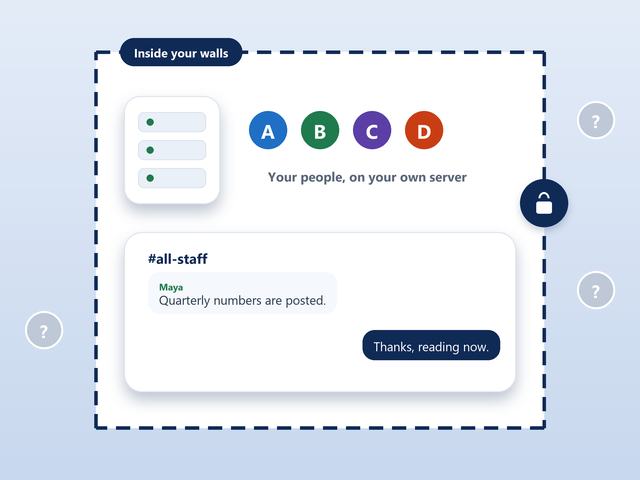
Intranet
Inside your company. Employees only, behind your own walls. People outside cannot get in.
Enterprise Edition is everything in Professional, for the biggest audiences: linked servers, your own server messages, a place inside or outside your walls, and a team that trains and supports yours.
Real time translation with nothing to download or install. It just works with all the safety built in.
Only on Enterprise Edition.
Hi everyone, shall we start?
Hola a todos, ¿empezamos?Yes, the numbers are ready.
예, 숫자 준비됐어요.Great, let us begin.
The chat is the same in all three. You decide the doors.
Inside your company. Employees only, behind your own walls. People outside cannot get in.
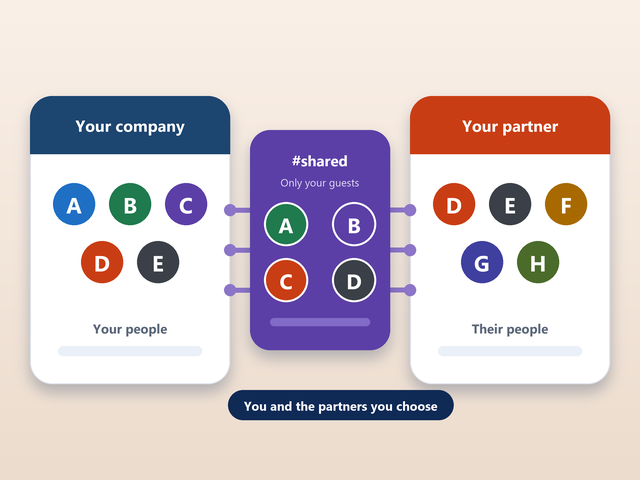
You and your partners. The partners and customers you choose, and only them, in a room you share.
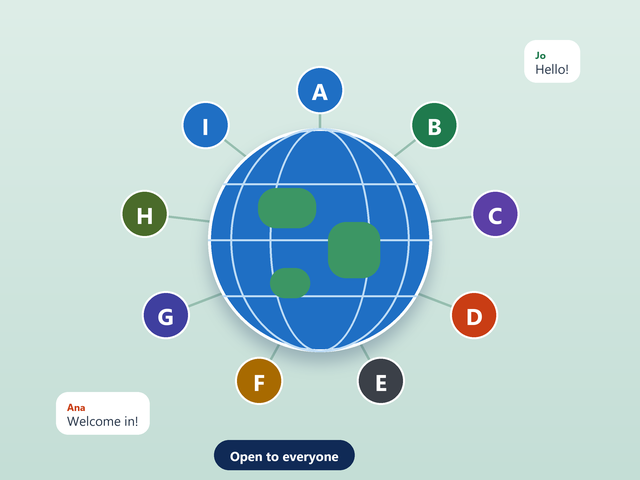
Everyone. Open to the public, like the network you know.
Link your servers so people on any of them talk in the same rooms. Add capacity where your people are, and keep it all one chat.
Change the messages your server sends, from the welcome people see when they connect to the notices they get along the way, so it sounds like your organization.
• Connected to Acme Chat
Welcome to Acme Chat. Be kind, and ask #help if you get stuck.
Users licensed, side by side.
We plan the network with you.
We train your administrators and moderators.
We set it up and help you go live.
Managed support and technical phone support stay with you.
Enterprise includes every one of the 18 features of Professional. Here is each one, in plain words, and what it does for you. What Enterprise adds on top is in the comparison below.
Everything you need to look after a busy network, from one place.
Professional gives your administrators real control. They work from a web page instead of a command line, and they decide what is said and what is seen on your chat.
WebAdmin Control Panel. Manage your chat from a web page in your browser. Your administrators look after rooms, words, agents and logs in one place, without having to learn commands.
Custom Banned Word Filtering. Make your own list of words that should never reach a room. Messages that contain them are stopped before anyone sees them, and you decide what goes on the list.
Full Room Lists Control. Choose which rooms people can see in the room list and which stay out of sight, so visitors find what is meant for them.
Server & Channel Security. Security settings for the whole server and for each room: who may come in, who may speak and who runs the room.
For audiences that would swamp an ordinary room.
When a whole organization, or a whole crowd, arrives at the same moment, an ordinary room is not enough. These three features keep a big event calm and easy to run.
Event Management. Tools to prepare and run an event, from the first guest who arrives to the last question that is answered.
Large Scale Event Support. Built so a big audience stays calm and the room stays quick to join, however many people turn up.
Auditorium Mode. Guests see only the people who can speak, so a huge room is as easy to use as a small one.
Make it look and feel like your organization.
People should know whose place they are in the moment they arrive. Your logo, your colors and your own icons do that without a word.
Custom Web Chat Themes (Your Logo). Your logo and your colors on the web chat, so everyone who joins sees your organization first.
Custom Icons and Emojis. Your own icons and emoji, for the little things that make a community feel like yours.
Help and extras that come with the edition.
A product is only as good as the people behind it. These three are part of Enterprise, so you are never left on your own.
CR Scribe. Saves your chats and conferences to a web page while they happen, so nothing has to be copied or pasted afterwards.
Setup & Configuration. We help you set it up and configure it, so it works the way your organization works.
Phone Support & Chat Help. Reach a person by phone or chat when you need help. The people who build it are the people who answer.
Everything in the Free Edition, which every edition is built on.
Every edition starts with the same real-time chat. It is simple to use, it works on the web or in any IRC program, and it is what your people will use every day.
Real-time Chat. Rooms that talk in real time, in the browser or in any IRC program, on phones and computers alike.
Private Messages. One-to-one chats that the room never sees, for the conversations that do not belong in public.
MemoServ. Leave a message for anyone who is offline. They see it as soon as they come back.
Channel Agents (Bots). Agents that keep rooms open, welcome people and help with events, so a room is never empty or unattended.
Web and Chat Access Logs. Records of web and chat access for your administrators, so you can see what happened and when.
Users Can Register Rooms/Nicknames. People keep their nickname and their rooms. A registered room remembers its topic, its settings and its trusted people.
A check means the edition has it. Prices are per month.
| Feature | Professional$999/month | Enterprise$2,999/month |
|---|---|---|
| Price and licence | ||
| Price | $999/month | $2,999/month |
| Licensed for (users) | 25,000 | 250,000 |
| Control and security | ||
| WebAdmin Control Panel | Included | Included |
| Custom Banned Word Filtering | Included | Included |
| Full Room Lists Control | Included | Included |
| Server & Channel Security | Included | Included |
| Your brand | ||
| Custom Web Chat Themes (Your Logo) | Included | Included |
| Custom Icons and Emojis | Included | Included |
| Events | ||
| Event Management | Included | Included |
| Large Scale Event Support | Included | Included |
| Auditorium Mode | Included | Included |
| CR Translation and CR Scribe | ||
| CR Translation | Not included | Included |
| CR Scribe | Included | Included |
| Included with it | ||
| Setup & Configuration | Included | Included |
| Phone Support & Chat Help | Included | Included |
| Your own network | ||
| Modifiable Server Messages | Not included | Included |
| Server-to-Server Linking | Not included | Included |
| Extranet, Intranet, or Internet | Not included | Included |
| Training & Managed Support | Not included | Included |
The licence is for concurrent users: the people connected at the same moment, not everyone who has ever joined.
Modifiable Server Messages, Server-to-Server Linking, Training & Managed Support, and the choice of extranet, intranet or Internet.
We do. We help you with setup and configuration, and phone support and chat help are there when you need them.
Yes. CR Scribe is included with Enterprise.
Yes. Enterprise runs on an extranet, an intranet or the Internet.
Email info@conferencerooms.org. An engineer will talk it through with you.
We have no sales department. The people who build it will talk it through with you.
Tell us how many people, how many servers and where it should live. We will help you set it up.